 Google Flow Prompt Library
Google Flow Prompt Library
Google Flow Prompt Library
Google Flow provides built-in tools to create and customize characters for your projects. Here's how:
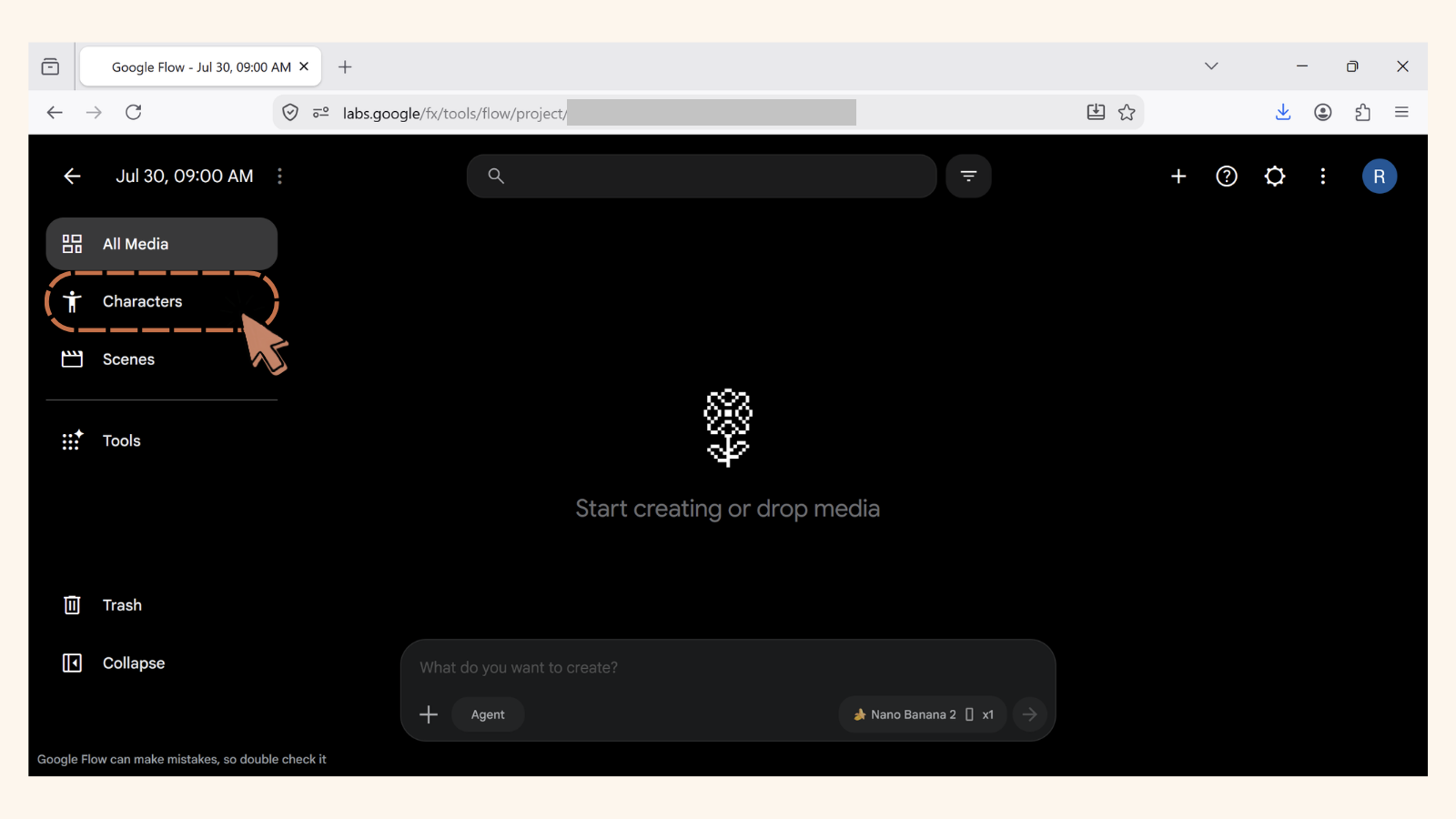
Log in to Google Flow using your Google account into your project. On the dashboard page, click the 'Character' menu on the sidebar.
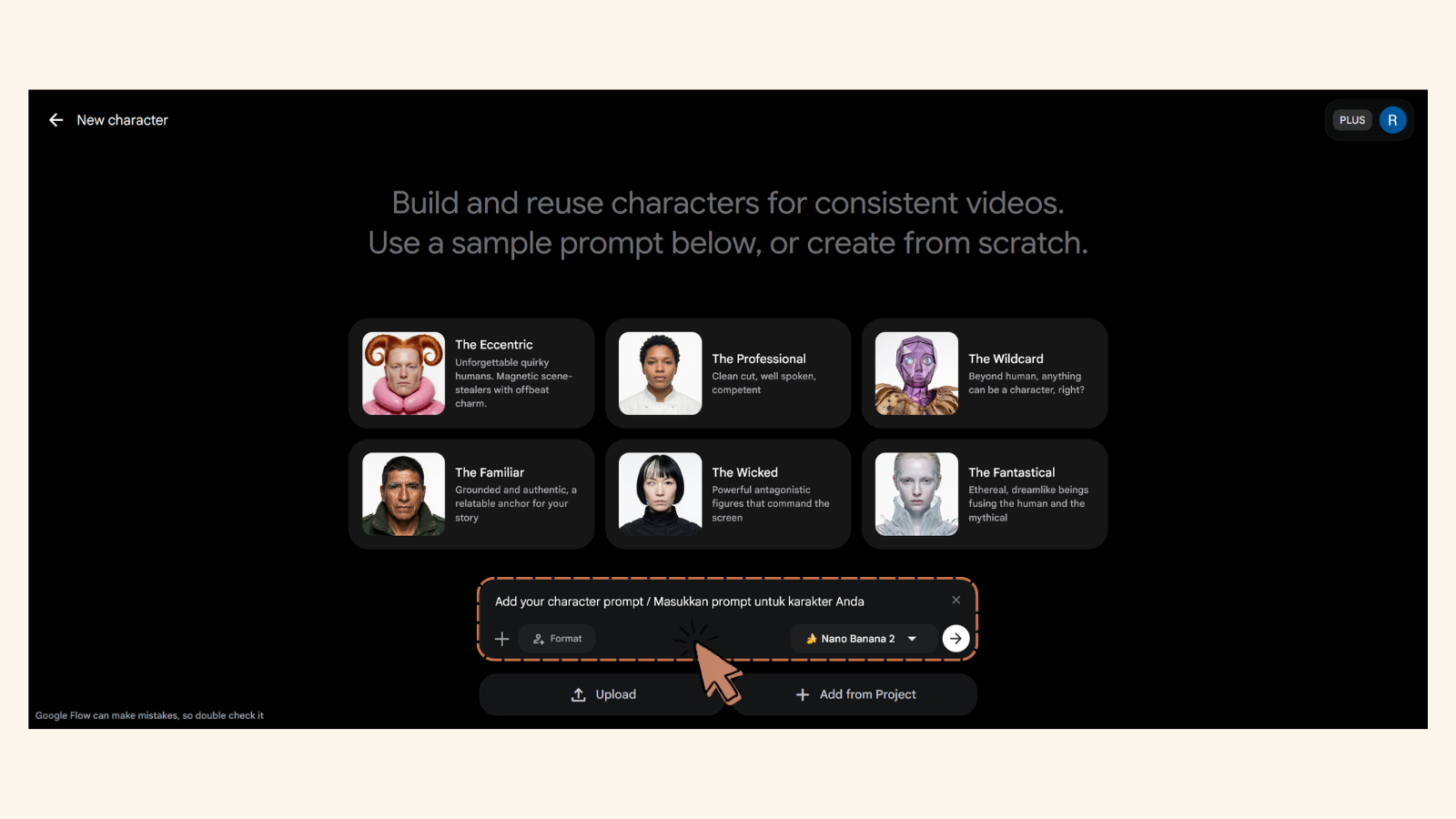
Once you've clicked the 'Character' menu, you'll see the Character tool interface. Fill in the prompt box with the description of the character appearance in detail. You can also upload or add from the current project your own character reference sheet.
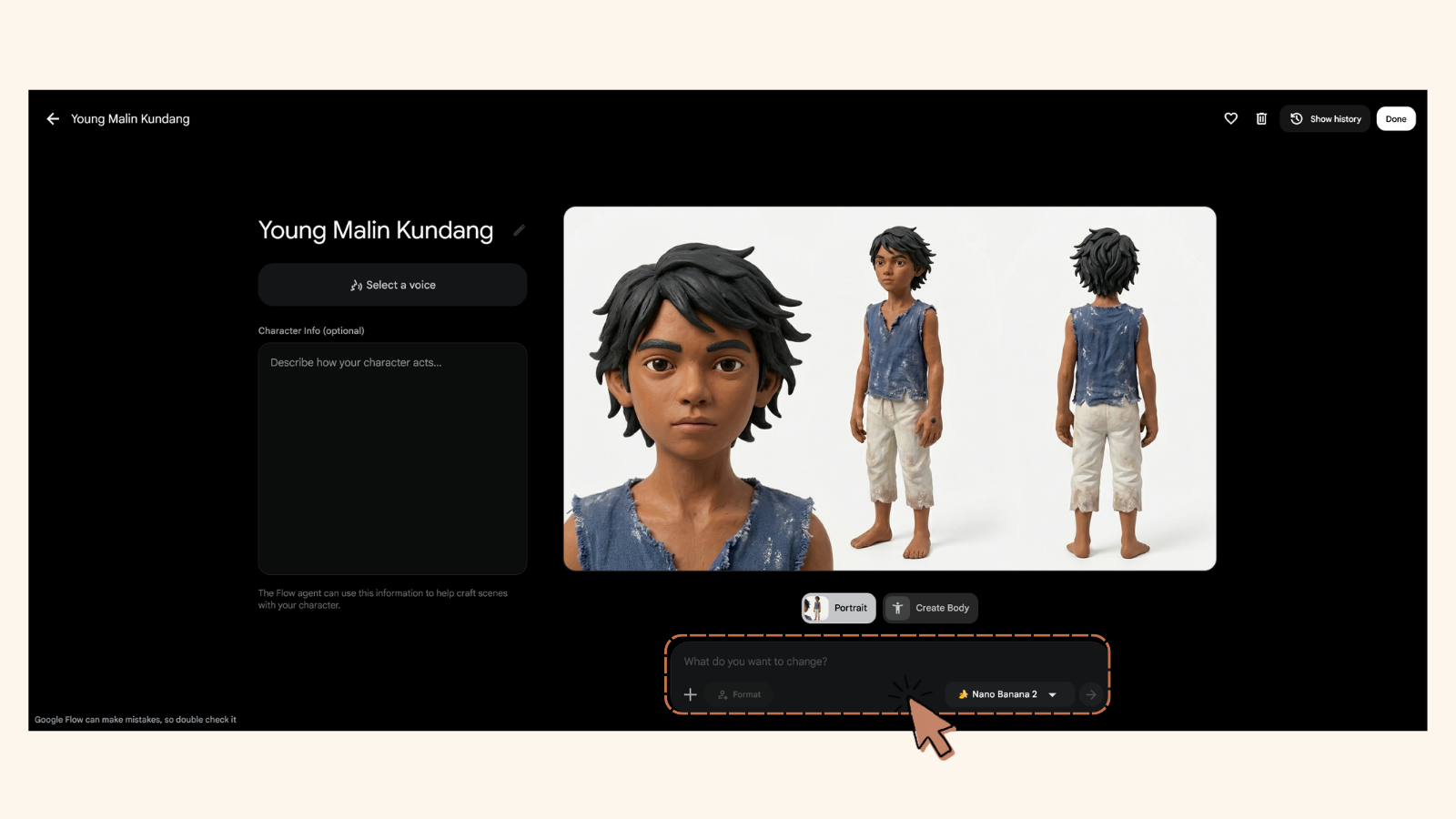
You will be redirected to a new interface where the freshly generated image of the character is displayed. You can then review the character and make any necessary adjustments in the prompt box.
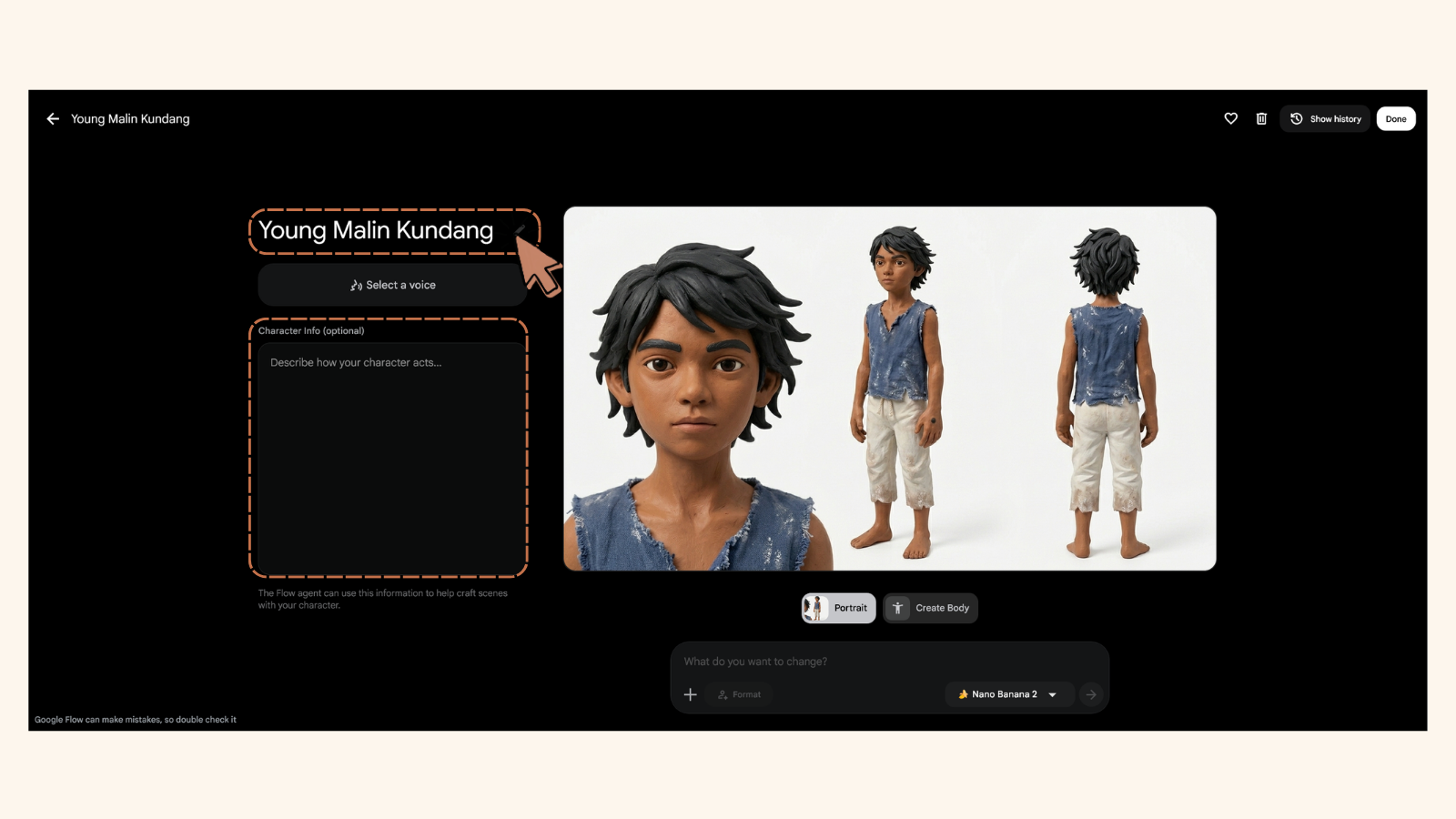
Once you're satisfied with the character, you can give it a name in the provided field. You can also add a description to help you identify the character later.
After naming your character, click 'Select a Voice' to give it a consistent voice from the Google Flow's internal voice database. You can also customize a voice by adding details in 'Customize Performance'. In addition, you can see the performance in voicing a sentence written under 'Sample Dialogue' by clicking 'Preview' button. If you are satisfied with the new voice, you can give the voice a custom name under 'Voice Name' and click 'Save New Voice' to save it.
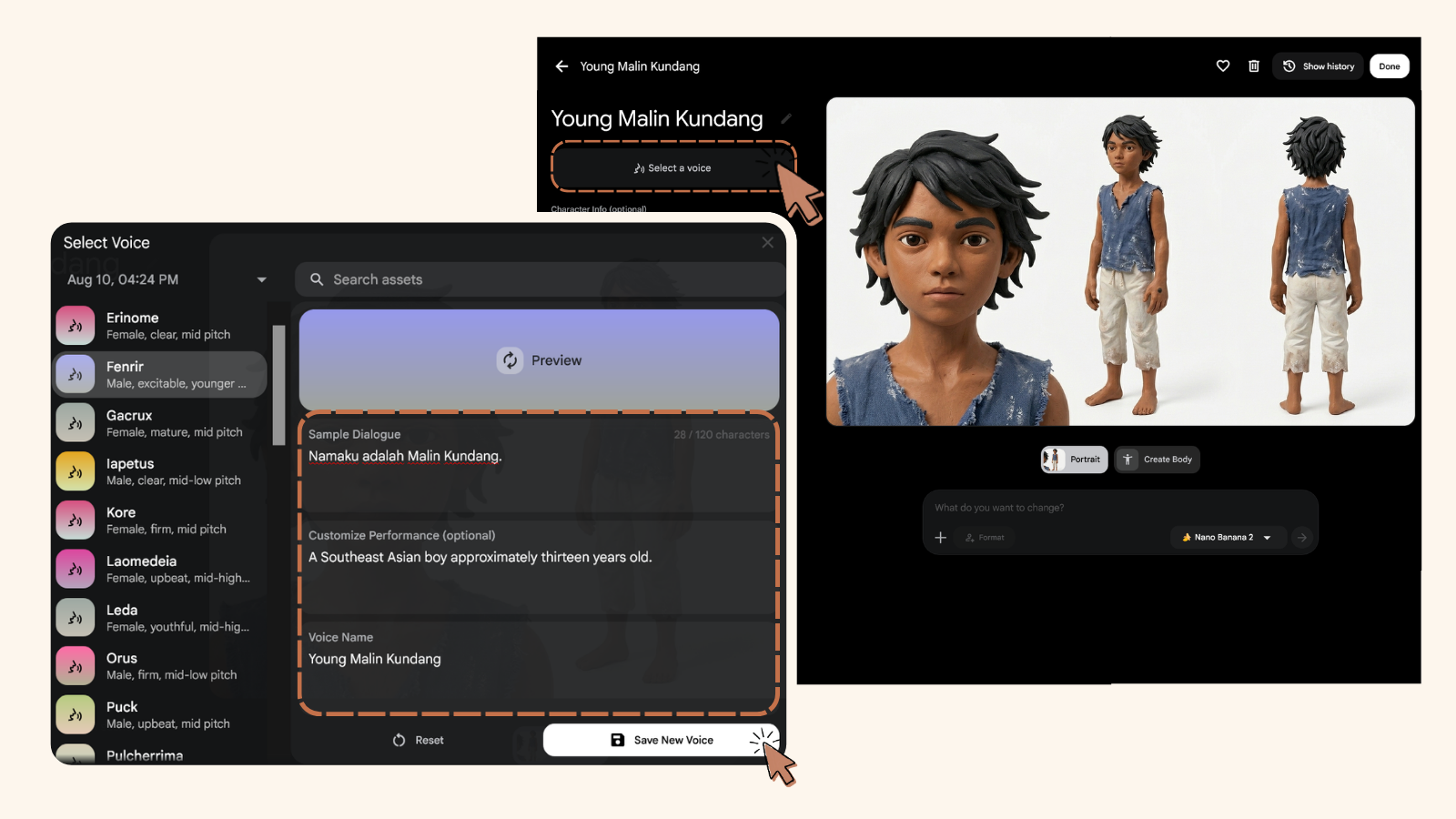
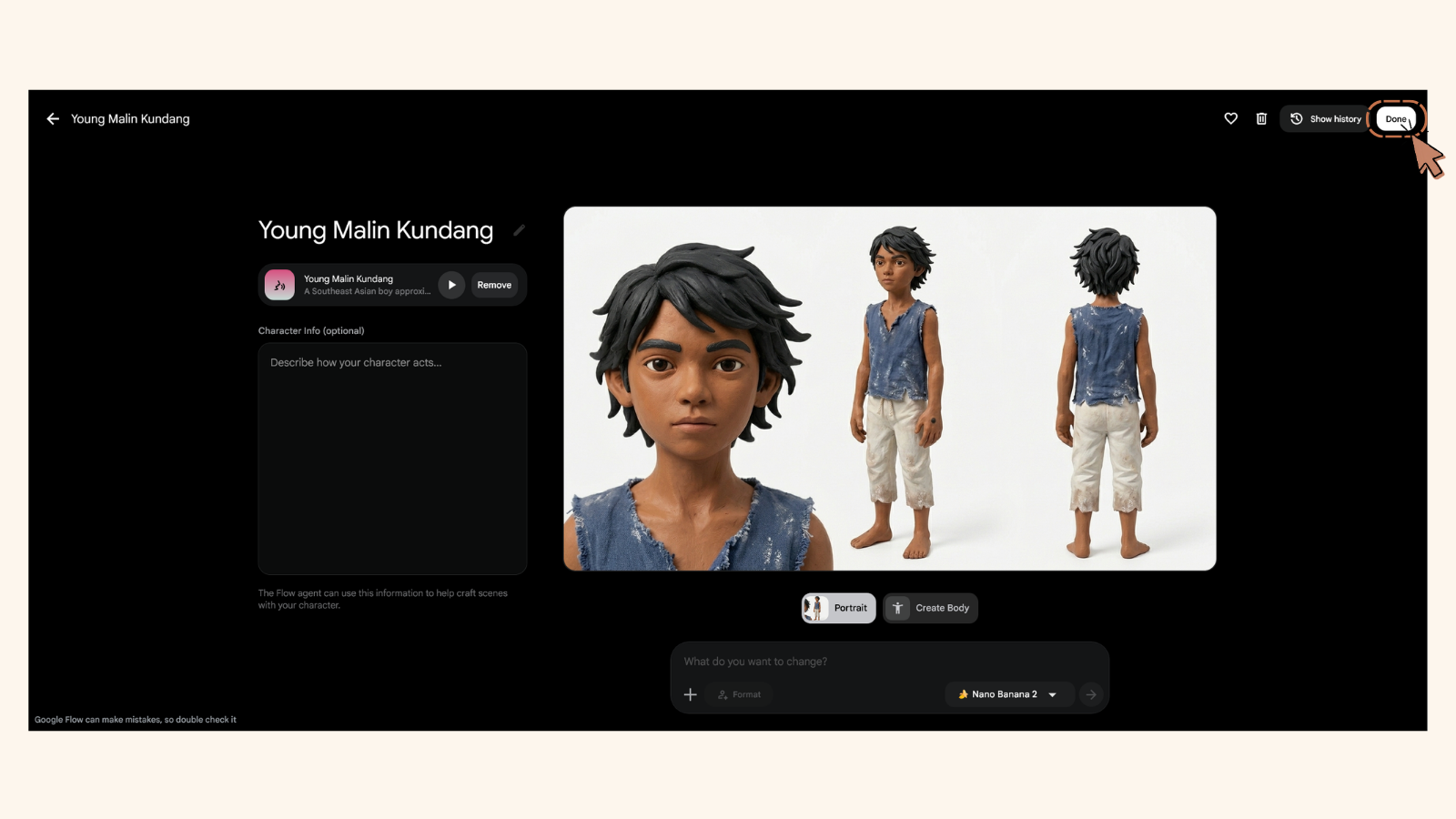
Once you're satisfied with the character's appearance, name, and voice, click 'Done' to save it to your project. You can now use this character in your Google Flow projects.
Want to find other methods for creating characters?
Back to Character Page →If this has been really helpful and you want to treat Emak to a shopping trip today, feel free — it's completely optional, just to make her day more motivating for creating new prompts. 💛
Treat Emak Today